The camera, reviewed before you pay.
The validated procedure for a shot driven by a 3D scene or a block: a render guide with a look, photos made from its own frames, a free comparison and one paid take.
Step by step
Choose how the route is defined
In «Camera control», a template moves the camera over a single photo: orbit, helix, arc, figure of eight and more. For characters that act or wide routes, use a 3D scene or your own render: «3D scene» or «Use a 3D video you already have».
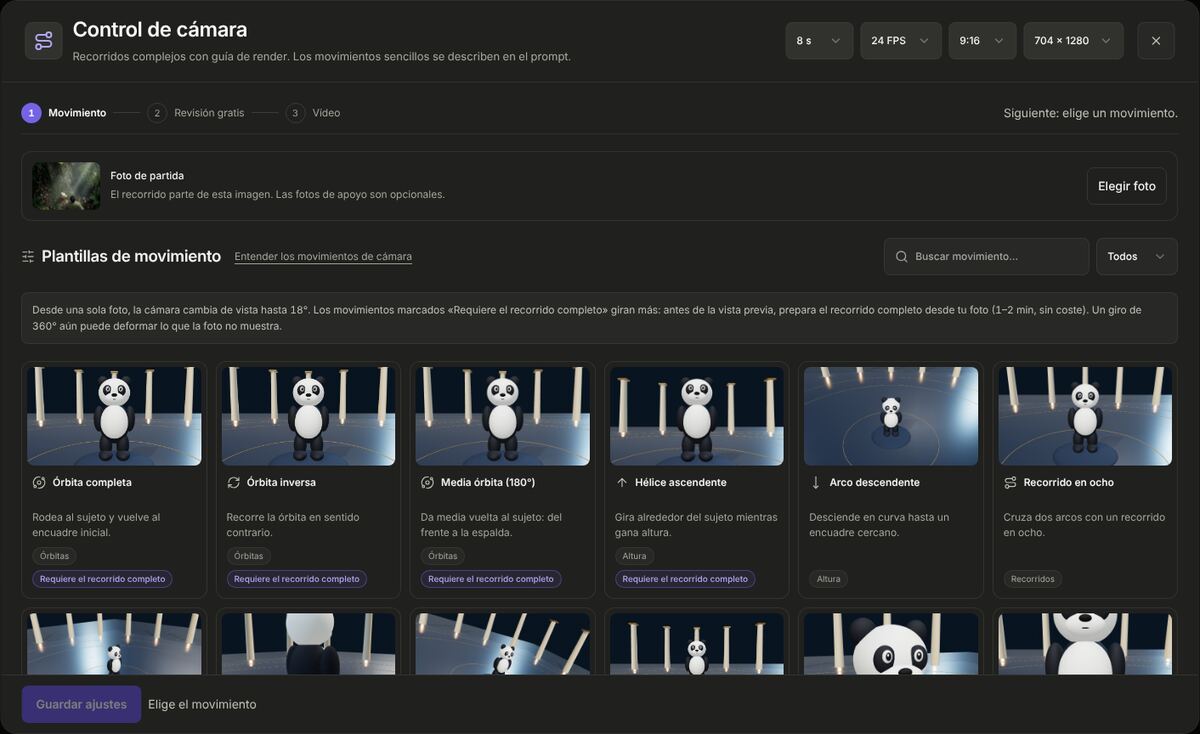
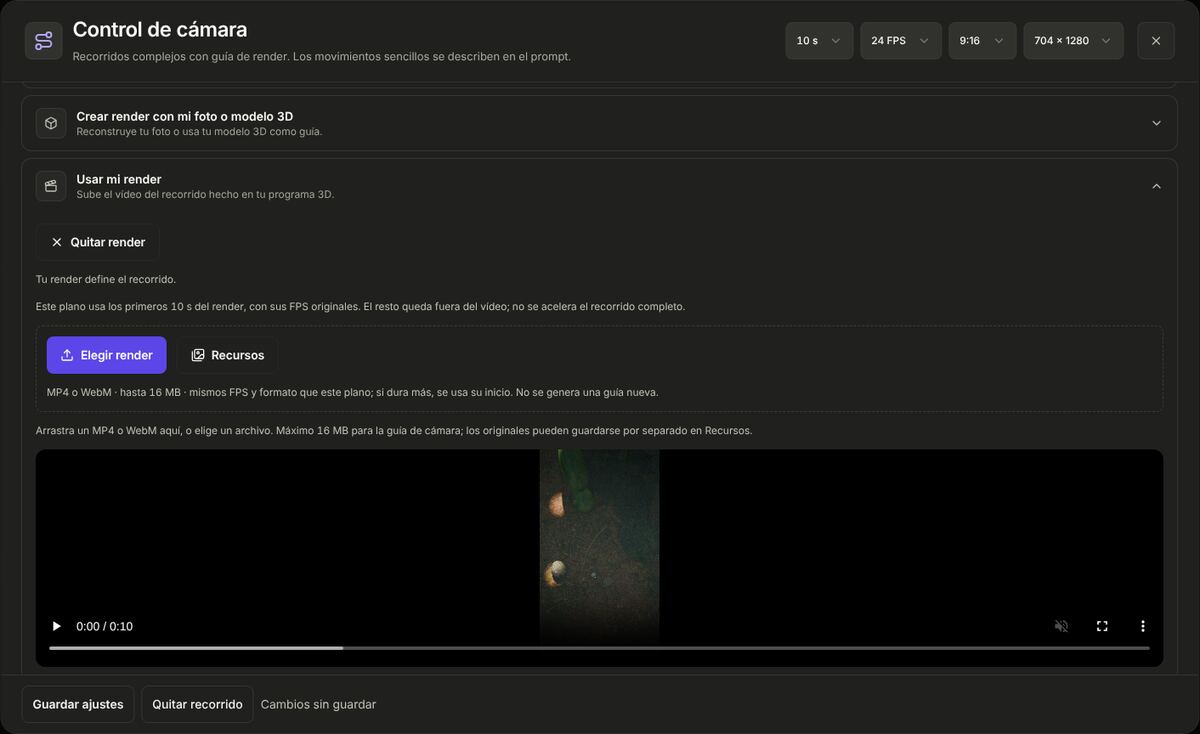
Upload the render guide
«Use a 3D video you already have» and «Choose render»: MP4 or WebM up to 16 MB, at the same FPS and in the same format as the shot. Start is taken from the render's first frame. If it is longer than the shot, its beginning is used, never sped up.
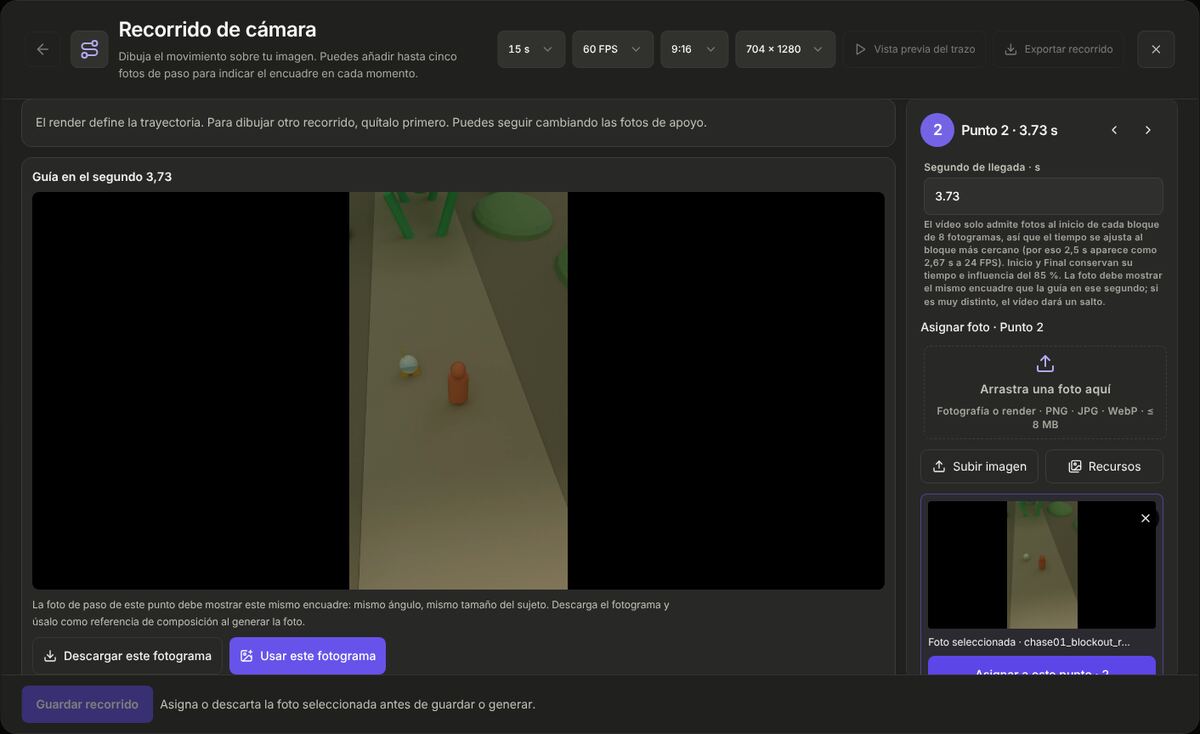
Make the photos from the guide
In «Camera path», each point shows the guide at its exact second: «Download this frame» or «Use this frame». Start and End keep their time and an 85 % influence; up to five waypoint photos fit.
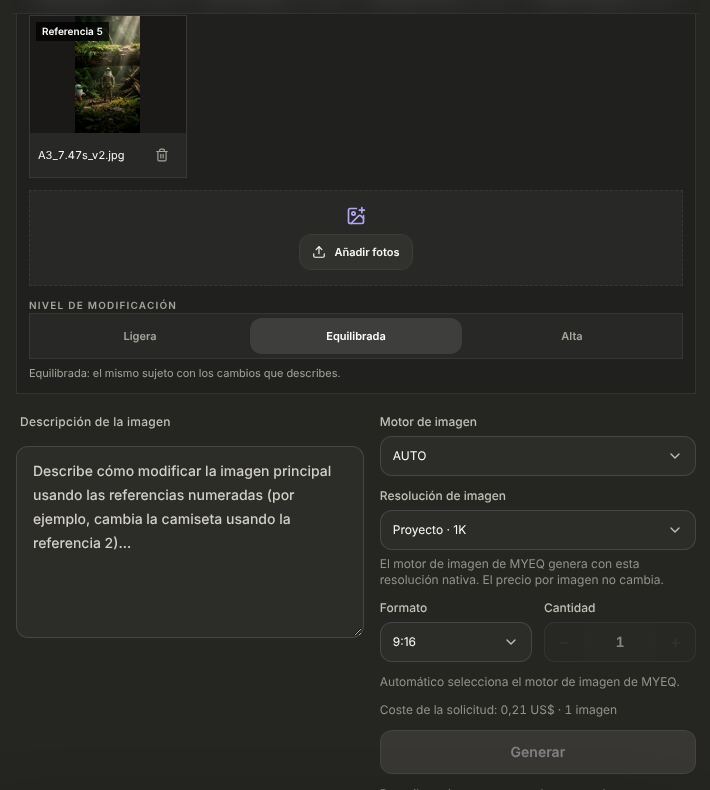
Redo the look with «Balanced»
In «Generate resource», choose «From reference» with the guide frame as the main photo. Set «Balanced» by hand: it keeps framing and size. Describe only look and identity, with no camera or angle words.
Compare before paying
«Prepare preview» is free. Compare each waypoint photo with the guide at its moment: if the figures change by more than 25 % in size or position, drop that photo and let the guide lead. The coherence of the photos is not checked automatically.
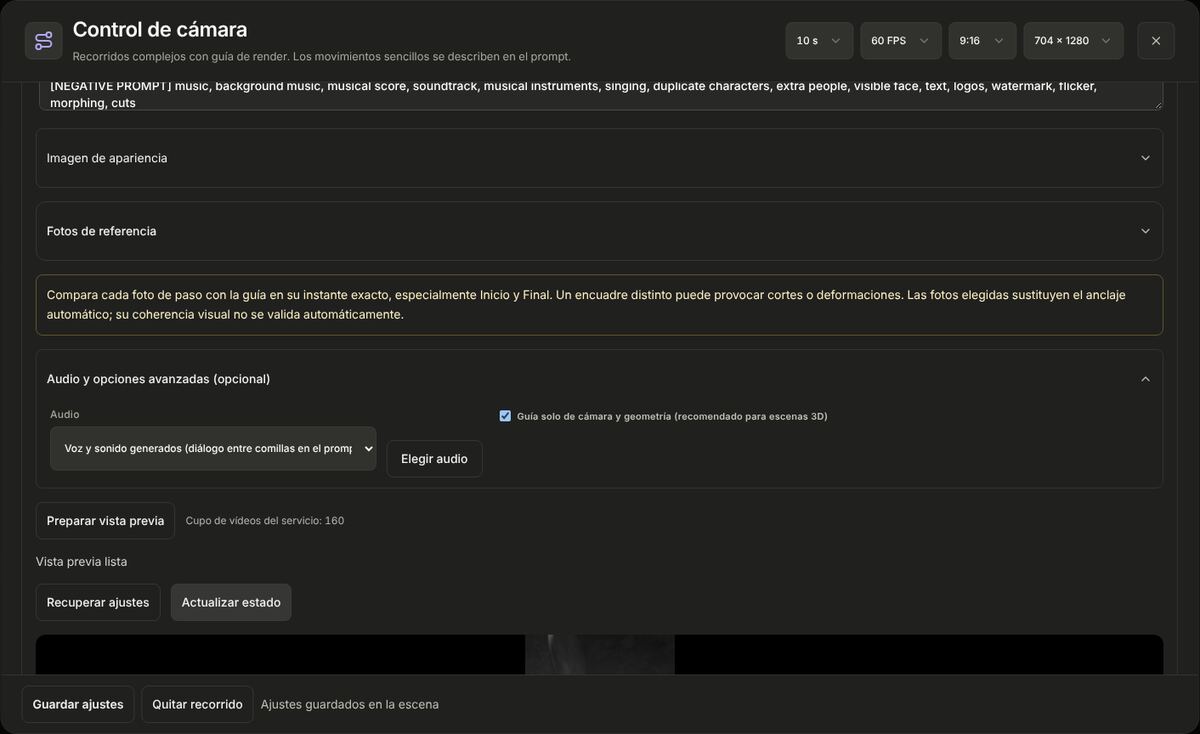
Read the price and generate one take
«What you pay» separates the route and preview, free, from the video, with its maximum. That maximum is reserved, the measured use is charged and the difference is returned; if it fails, the reserve is returned. Tick «I reviewed this guide» and generate: the job carries on even if you close the window.
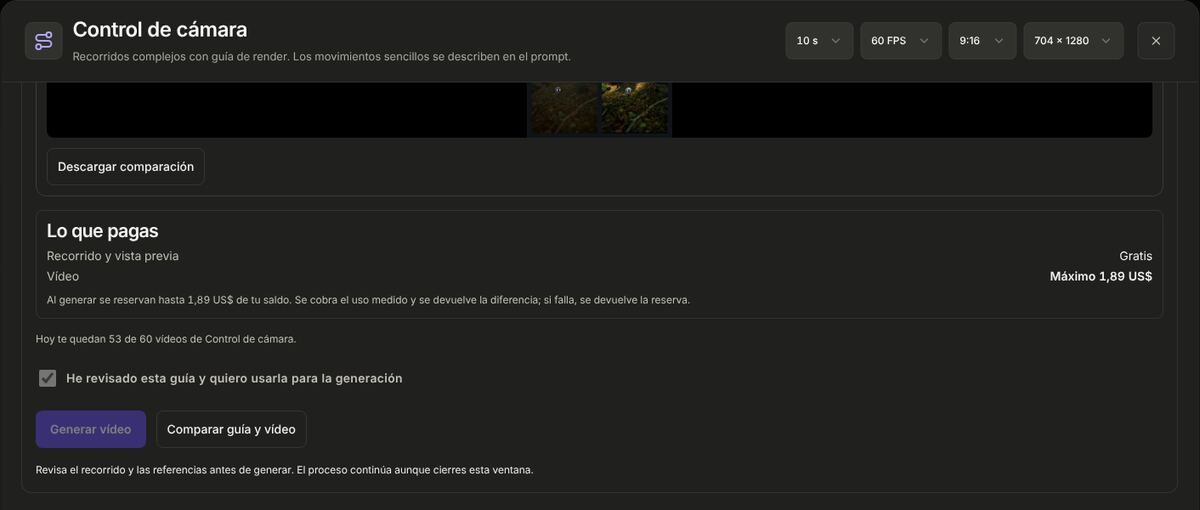
Real screenshots of the MYEQ.PRO web app in preproduction, 18 November 2026, with the interface in Spanish. The side menu, the balance and internal file names were cropped out.
What works. What fails.
Rules measured on 18 and 19 November 2026 on a 10 s chase produced through the web, as a customer would.
Do
- A render guide with a look (light, textures, haze), never grey: camera tracking from 0.91 to 0.97.
- 24 FPS by default; 60 FPS for fast action, at about 1.7 times the price.
- Start, End and the written scene agree on direction of travel and final framing.
- For a static set or a slow subject, a template over one photo is enough.
Avoid
- Waypoint photos made apart from the guide: the take stops following the camera.
- A photo with figures 1.3 or 1.4 times larger than in the guide: it pulled the camera (tracking 0.63 to 0.71).
- A photo as the guide for people who must act or speak: they do not act and the lips do not follow the voice. Use «Use a 3D video you already have».
- «High» on the photos: it redraws the framing; a robot came out about 4 times too big.
Today's limits
| 704 canvas | |
|---|---|
| 1080 canvas | |
| Square 1:1 | |
| Render guide | |
| Waypoint photos | |
| Route and preview | Free |
The other guides
Plan your first camera move
Create an account, upload the guide and review the free preview before generating.